
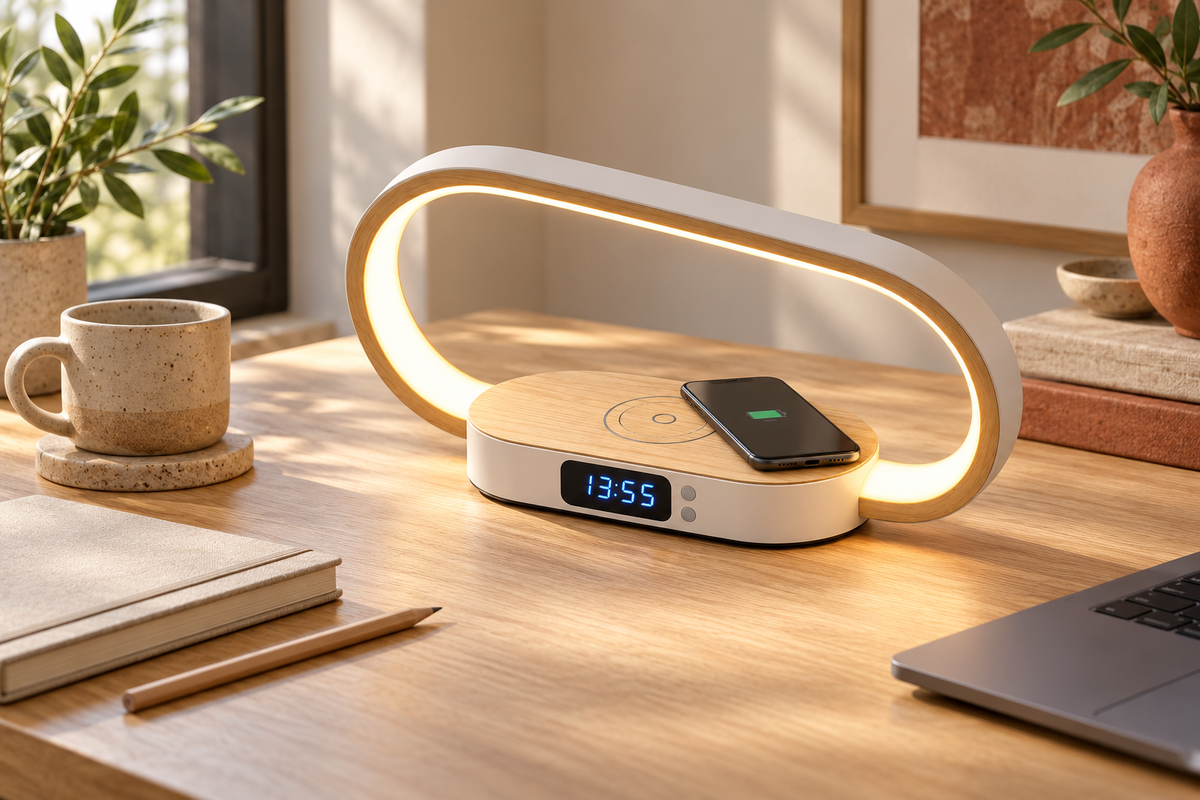
A desk feels easier to use when the essentials have a clear place. Before adding anything, decide where you write, where your screen sits and where your phone can rest without interrupting your work.
Work around the space you have
Measure the available surface before choosing a desk accessory. The Light & Charge Desk Station is approximately 300 × 160 × 80 mm. Its oval ring light and low base bring three everyday functions into one position: light, a clock and charging for compatible devices.
Adjust the light to the task
The station offers five light temperatures and brightness adjustment from 10 to 100%. Try the settings with your usual work in front of you and position the light to minimise reflections on your screen. Keep enough surrounding light to see the rest of the workspace comfortably.
Check charging compatibility
Wireless charging works with compatible devices and offers up to 10W. Check your phone's requirements and place it correctly on the charging area; compatibility and performance depend on the device. The USB-A connection provides an additional connection option. A phone is not included.
Keep setup details clear
The station includes the unit, USB cable and manual. A power adapter is not included, so check the Product Details before choosing a compatible supply. The clock has four display levels, including off, allowing you to choose how visible the time remains.
Finish by giving cables a safe route and leaving the middle of the desk open. A notebook, a pencil and a useful light can be enough to make the space feel considered without adding more clutter.

Leave a comment
This site is protected by hCaptcha and the hCaptcha Privacy Policy and Terms of Service apply.